StageMag Launches Programmable PDF Editor for Digital Theater Programs
New per-section controls let producers shape the printed program - no design tools, no plug-ins, no markup.
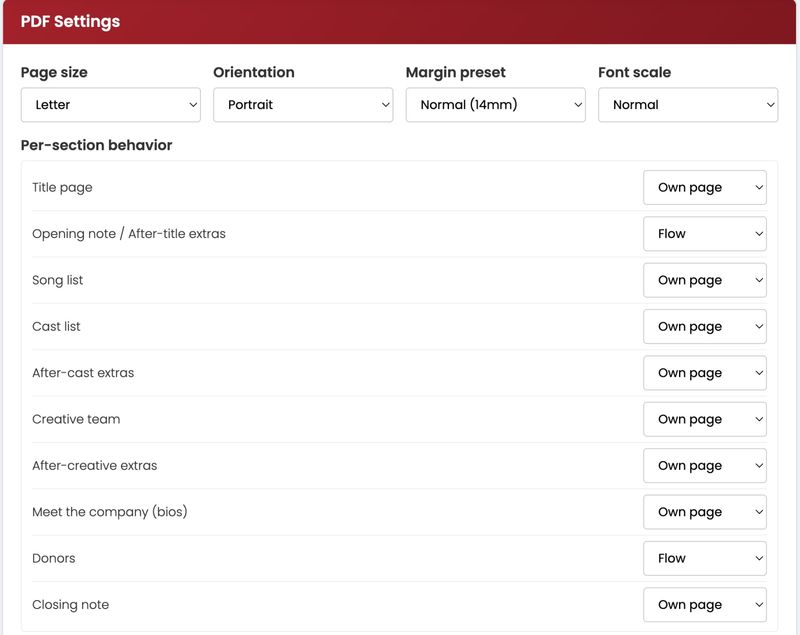
Until now, the StageMag-to-PDF path was a one-shot export: whatever fit, fit. The new editor turns the export into a configurable surface. Each section of a program including the cast list, song list, director's note, bios, advertisements, sponsor pages, articles, listings and more — can be individually told how to paginate. Editors choose between three strategies per section:
Flow: natural pagination, sections may split across pages.
Own page: start the section on a fresh page.
Fit one page: start fresh and scale the section to occupy the whole page.
A live preview pane re-renders the PDF on every change, so editors see the final printed result as they work rather than guessing and re-exporting.Beyond the strategy picker, the editor exposes a set of advanced controls familiar to anyone who has hand-tuned a long-form print document: hide-element selectors (drop sponsor strips or vestigial nav from the print version), forced page breaks before or after named elements, a draggable section-order list, custom header/footer/watermark text, and a custom-CSS escape hatch for theaters whose programs follow a house style.
The release also includes paper-level controls including US Letter or A4, portrait or landscape, three margin presets, three type scales, and a "booklet" mode that adds a binding gutter for stapled lobby printouts.
The PDF Editor is available now to all StageMag-enabled productions at no additional cost, under the Share PDF tab in the program editor. Existing programs render with sensible defaults; the new controls are opt-in and per-production.
About StageMag
About BroadwayWorld
Sign up for all the news on the Fall season, discounts & more...
.jpg?format=auto&width=300)