


Houston Grand Opera’s Box Office is Now Mobile
Houston Grand Opera today launched a new version of its InstantEncore Mobile Suite, which allows users to purchase tickets using their mobile devices. This new integration offers a fast, easy-to-use interface to browse event listings, choose seats, and purchase tickets instantly from smartphones supporting mobile Internet, including Android, Blackberry, iPhone, and Palm Pre.
HGO is the first opera company to offer InstantEncore’s Premium App with Tessitura Integration.
Previously, users were required to become a FAN of HGO on InstantEncore and log in upon accessing the app for the first time. These steps are no longer required. Instead, during the purchase process, first-time purchasers will create a username and password using the mobile app for first-time purchasers; those who have purchased online from HGO before can use their existing account information to purchase on the mobile platform. To purchase, users will:
1. Click on the events tab
2. Select an event
3. Pick a seating section
4. Choose number of tickets
5. Log in, check out and receive an immediate email confirmation
Two ticket delivery options are available:
1. Print at home – tickets will be emailed to the email address used to log in.
2. Hold at Box Office – tickets will be held at the HGO Box Office for pick up at least 30 minutes prior to the start of the performance.
In order to utilize HGO’s FREE iPhone and Android Apps, a user downloads the iPhone app from iTunes or the Android app from the Android Market. To access HGO’s mobile website, simply visit www.hgo.org from any Internet-capable smartphone.
iPHONE APP
There are two ways to get HGO’s iPhone App
1. View the app on the iTunes website at http://itunes.apple.com/app/houston-grand-opera/id394759435?mt=8
2. Go the App Store on your iPhone, iPod Touch or iPad and search for “Houston Grand Opera”.
3. If you already have the HGO app downloaded, simply visit the updates section of the App Store on your iPhone, iPad, iTouch or iTunes to download the newest version.
ANDROID APP
There are two ways to get HGO’s Android App
1. From your Android phone visit:
http://market.android.com/details?id=com.instantencore.hgopera_5109402
2. Go to the Android Market on your Android phone and search for “Houston Grand Opera”.
3. If you already have the HGO app downloaded, simply visit the My Apps section of the Android Market to download the newest version.
MOBILE WEBSITE
From your smartphone, simply visit HGO.org
Check out HGO’s mobile site anytime from any browser here: http://houstongrandopera.instantencore.com/m
HERE’S WHAT YOU CAN DO WITH HGO’s FREE FAN APP...
FIND OUT WHAT’S NEW
Home page shows upcoming events and the most recent music, podcasts, news and blogs.
EVENTS (click Events)
Browse upcoming Houston Grand Opera events. Get complete performance information including venue, dates, repertoire, and artists. Access and review the program notes before the event. Want to attend? Click the "Get Tickets" button and purchase single tickets instantly from your smartphone.
Videos (click Videos)
Watch your favorite and new Houston Grand Opera videos.
Buzz (click Buzz)
Keep up with the latest Podcasts, News and Blogs from and about Houston Grand Opera.
Interesting Facts:
HGO is the first opera company to have InstantEncore’s Premium App with Tessitura Integration.
The new version of HGO’s app allows for the purchase of single tickets. Plans are in the works for future versions of the app that will allow the purchase of subscriptions and making donations.

|
2026 Annual Festival of Originals (The FOO) Theatre Southwest (7/24-8/08) |

|
Joseph and the Amazing Technicolor Dreamcoat A.D. Players at the George Theater (6/24-8/02) |

|
Tamarie's Greatest Hits, Volume 3 The Catastrophic Theatre (6/19-8/01) |

|
Anarkali Reimagined The DeLUXE Theater (10/22-10/25) PHOTOS |

|
Ride the Cyclone HITS Theatre (8/15-8/15) |

|
Sweat Theatre Southwest (2/19-3/13) |

|
Come from Away Stages (9/18-10/18) |

|
anthropology Theatre Southwest (10/30-11/21) |

|
To The Bone Theatre Southwest (5/28-6/19) |
|
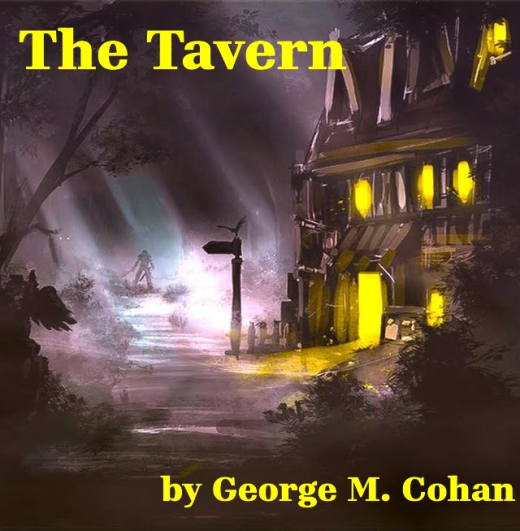
The Tavern by George M. Cohan Theatre Suburbia (7/24-8/22) |